> For the complete documentation index, see [llms.txt](https://docs.blusapphire.io/llms.txt). Markdown versions of documentation pages are available by appending `.md` to page URLs; this page is available as [Markdown](https://docs.blusapphire.io/log-forwarding/03_log-forwarding-guide/log-forward/lenovo/lenovo-thinksystem-storage.md).
# lenovo thinksystem storage
This guide outlines the steps for forwarding logs from your Lenovo ThinkSystem Storage system to Log Collector.
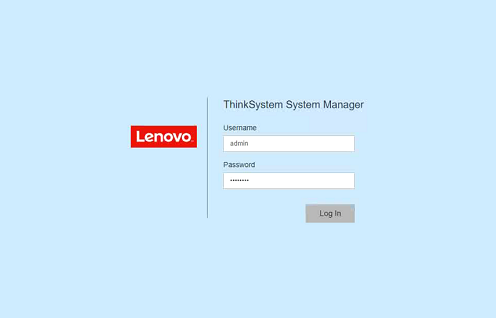
1. Log in to ThinkSystem system manager.
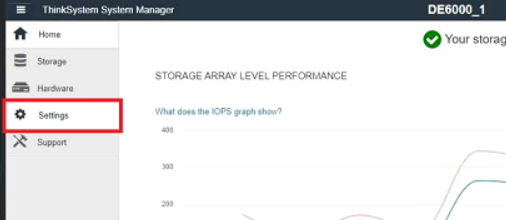
 2. Select **Settings**.
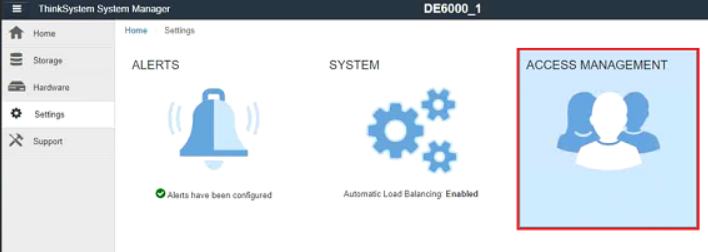
 3. Select **Access Management**.
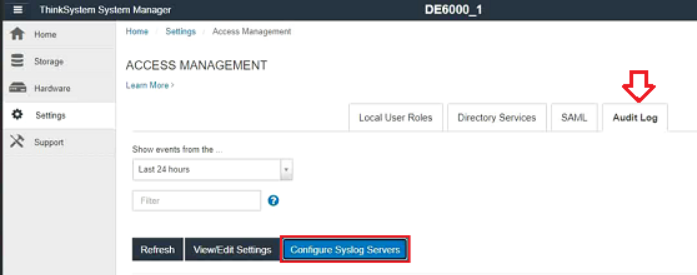
 4. From the Audit Log tab, select **Configure Syslog Servers**.
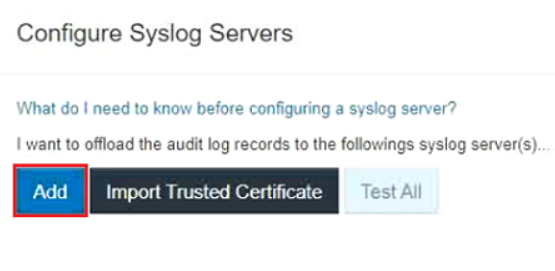
 5. The Configure Syslog Servers dialog box opens. Click **Add**.
 6. The Add Syslog Server dialog box opens. Enter information for the server, and then click **Add**.
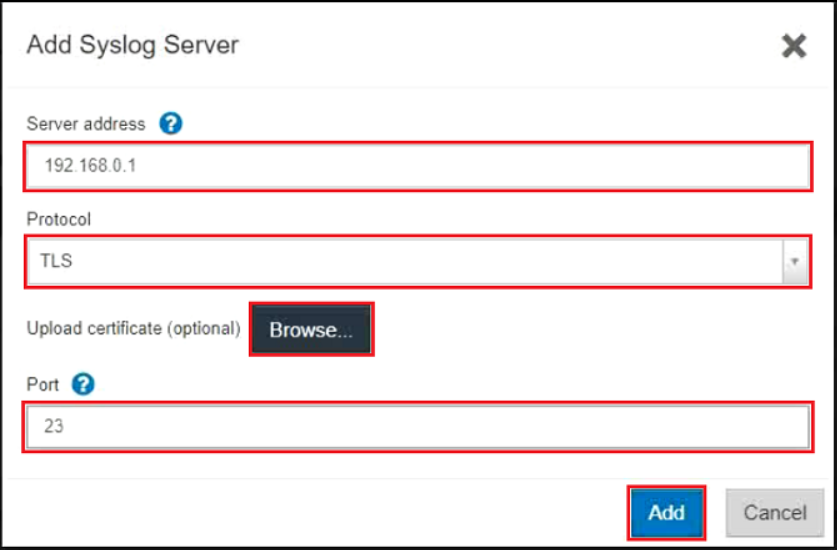 * Server address – Enter Log Collector IP Address or FQDN (Fully Qualified Domain Name).
* Protocol – Select **UDP** protocol from the drop-down list
* Port – Enter the port number for the Log Collector.
***Below is Applicable only if TCP is selected***
Upload certificate (optional) – If you selected the TLS protocol and have not yet uploaded a signed CA certificate, click **Browse** to upload a certificate file. Audit logs are not archived to a syslog server without a trusted certificate.
**Note:** If the certificate becomes invalid later, the TLS handshake will fail. As a result, an error message is posted to the audit log and messages are no longer sent to the syslog server. To resolve this issue, you must fix the certificate on the syslog server and then go to **Settings** > **Audit Log** > **Configure Syslog Servers** > **Test All** .
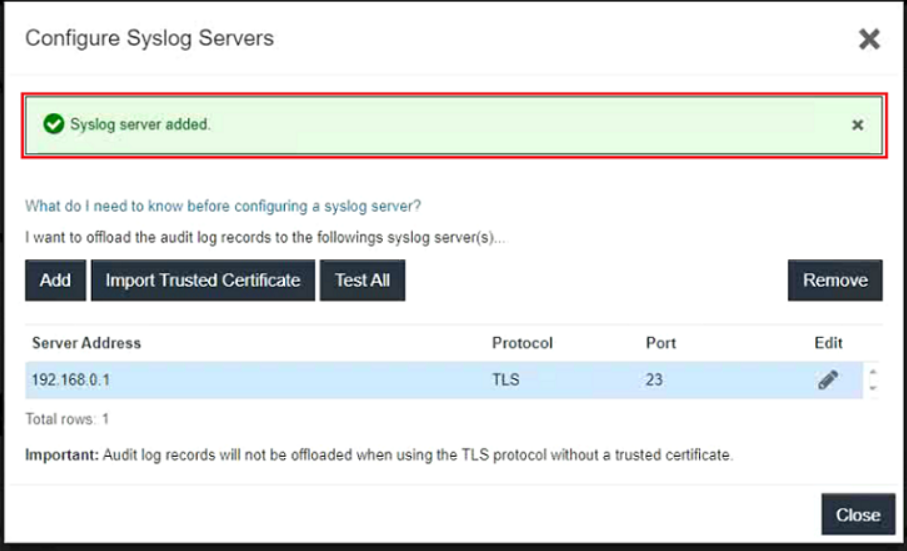
7. After you click Add, the Configure Syslog Servers dialog box opens and displays your configured syslog server on the page.
* Server address – Enter Log Collector IP Address or FQDN (Fully Qualified Domain Name).
* Protocol – Select **UDP** protocol from the drop-down list
* Port – Enter the port number for the Log Collector.
***Below is Applicable only if TCP is selected***
Upload certificate (optional) – If you selected the TLS protocol and have not yet uploaded a signed CA certificate, click **Browse** to upload a certificate file. Audit logs are not archived to a syslog server without a trusted certificate.
**Note:** If the certificate becomes invalid later, the TLS handshake will fail. As a result, an error message is posted to the audit log and messages are no longer sent to the syslog server. To resolve this issue, you must fix the certificate on the syslog server and then go to **Settings** > **Audit Log** > **Configure Syslog Servers** > **Test All** .
7. After you click Add, the Configure Syslog Servers dialog box opens and displays your configured syslog server on the page.
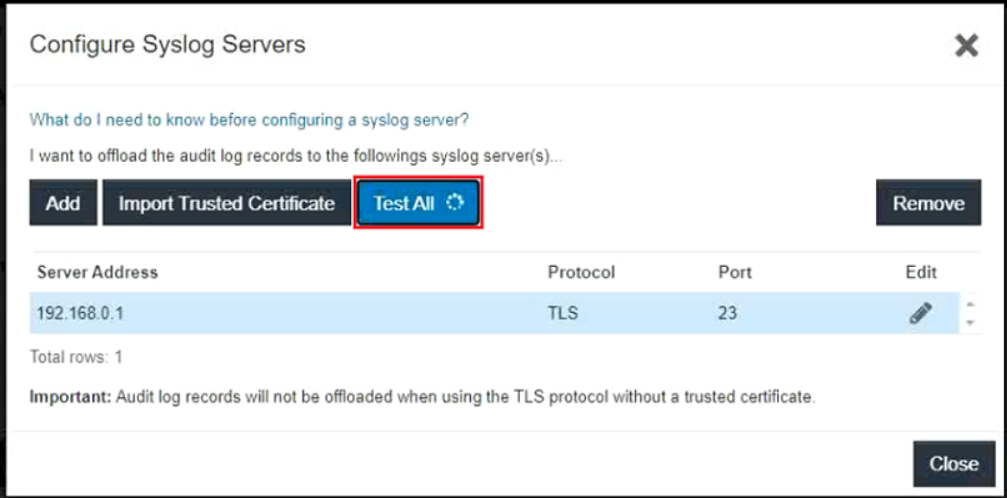
 8. To test the server connection with the storage array, select **Test All**.
 **Reference**: