> For the complete documentation index, see [llms.txt](https://docs.blusapphire.io/llms.txt). Markdown versions of documentation pages are available by appending `.md` to page URLs; this page is available as [Markdown](https://docs.blusapphire.io/log-forwarding/03_log-forwarding-guide/log-forward/linux/centos-and-rhel-log-integration.md).
# CentOS & RHEL Log Integration
**CentOS & RHEL**
**Log Integration Guide**
**Log Integration procedure:**\
\
Follow these steps to configure log forwarding to a remote syslog server.
1. Install syslog package if you haven’t installed it.
`#yum -y install rsyslog`
1. Checking the rsyslog.conf
Open a rsyslog.conf file located at /etc/rsyslog.conf by following command.
`vim /etc/rsyslog.conf`
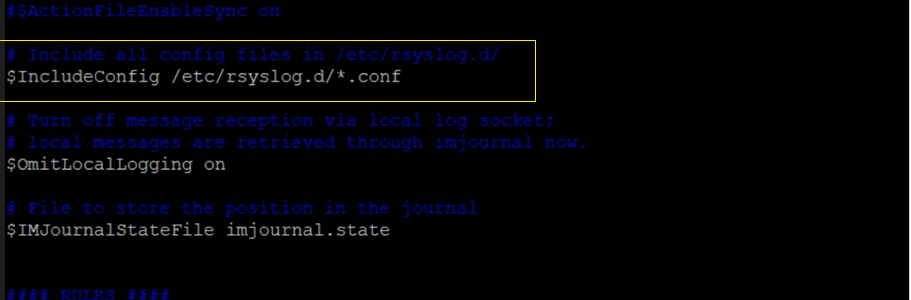
At the end of the file check for the following line and uncomment
\#Include all config files in /etc/rsyslog.d/
`$IncludeConfig /etc/rsyslog.d/*.conf`
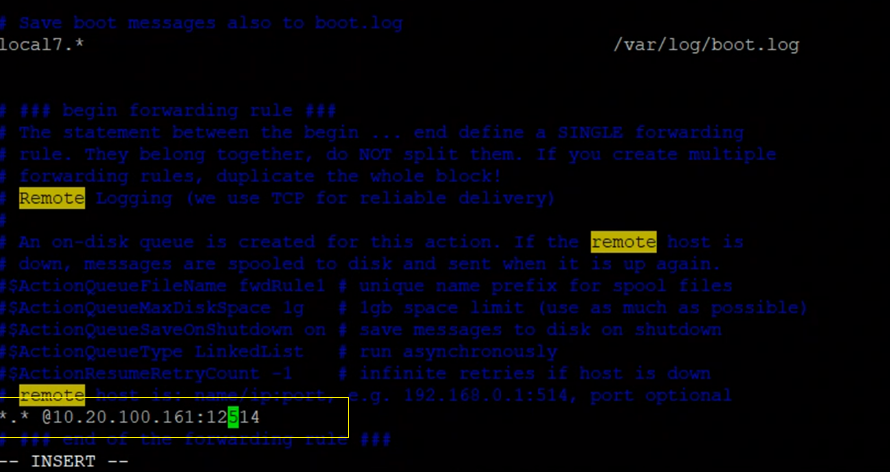
Add below line at end of the file.
`*.* @:12514`
Note: 514 port is the syslog default port number. Please replace 514 with blusapphire shared port number and provide log collector private IP.
Save and quit the configuration file.
Create log configuration for Audit logs with vim /etc/rsyslog.d/auditlog.conf and paste following lines below:
`$ModLoad imfile`
`auditd audit.log`
`$InputFileName /var/log/audit/audit.log ##path of log file`
`$InputFileTag tag_audit_log:`
`$InputFileStateFile audit_log`
`$InputFileSeverity info`
`$InputFileFacility local6`
`$InputFilePollInterval 1`
`$InputFilePersistStateInterval 1`
`$InputRunFileMonitor`
`$WorkDirectory /var/lib/rsyslog`
`$ActionQueueFileName fwdRule1 # unique name prefix for spool files`
`$ActionQueueMaxDiskSpace 1g # 1gb space limit (use as much as possible)`
`$ActionQueueSaveOnShutdown on # save messages to disk on shutdown`
`$ActionQueueType LinkedList # run asynchronously`
`$ActionResumeRetryCount -1`
`local6.* @:12514`
Save and Quit the configuration file.
Navigate to the following directory /create a file using the below command and paste the entire content of the file (all lines) from the git
`#vim /etc/audit/rules.d/audit.rules`
save and quit the file.
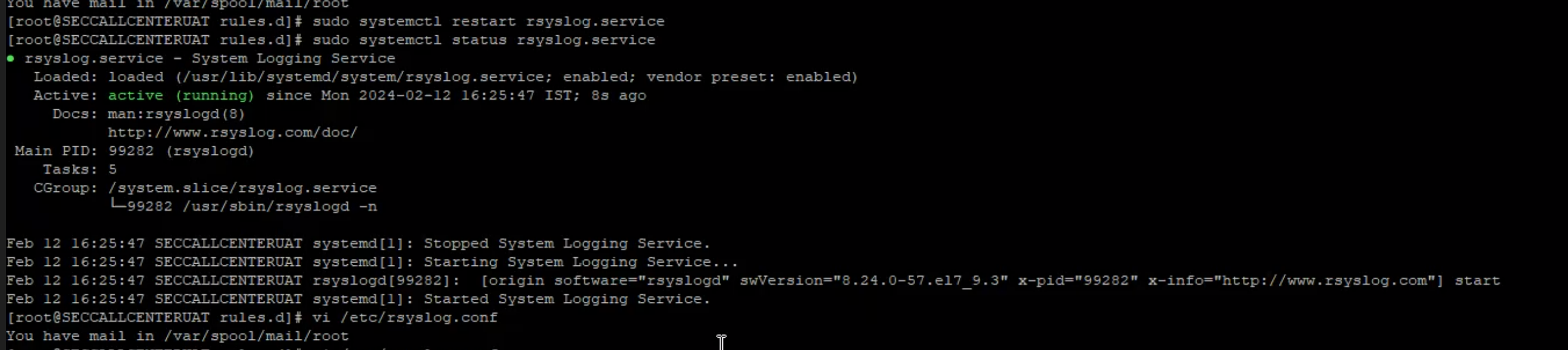
Restart rsyslog service
`sudo systemctl restart rsyslog`
`sudo systemctl status rsyslog`