# Linux Package Installation

### Supported Systems

The deployment package supports **Debian-based Linux distributions** with the following requirements:

**System Requirements:**&#x20;

* **GLIBC Version:** Must be **2.28 or greater**

#### How to Check GLIBC Version

Run the following command in your terminal to verify the GLIBC version:

```bash
ldd --version
```

If the output shows a version below 2.28, you will need to update GLIBC or upgrade your system.

### Installation Steps

#### Follow these steps to install the BluLogShipper package on Debian-based systems:

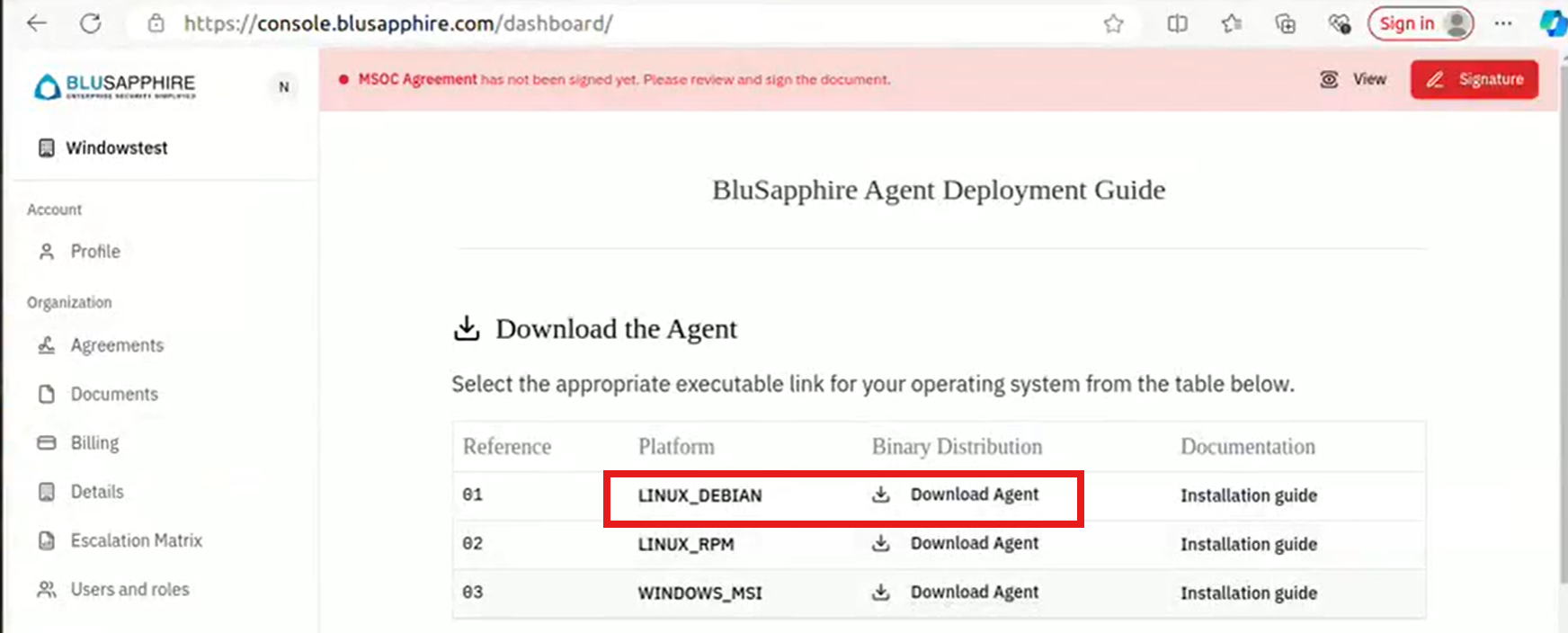
1\. Log in to the portal and download the BluLogShipper Linux package (`blulogshipper_debian.zip`).

<figure><img src="https://2078222076-files.gitbook.io/~/files/v0/b/gitbook-x-prod.appspot.com/o/spaces%2F-MMRHZBPHlLDUc8519fX%2Fuploads%2F9I5luSa0ujlHCyIflllP%2Fimage.png?alt=media&#x26;token=1baab7e9-e699-4070-9c0f-e32c3037a2da" alt=""><figcaption></figcaption></figure>

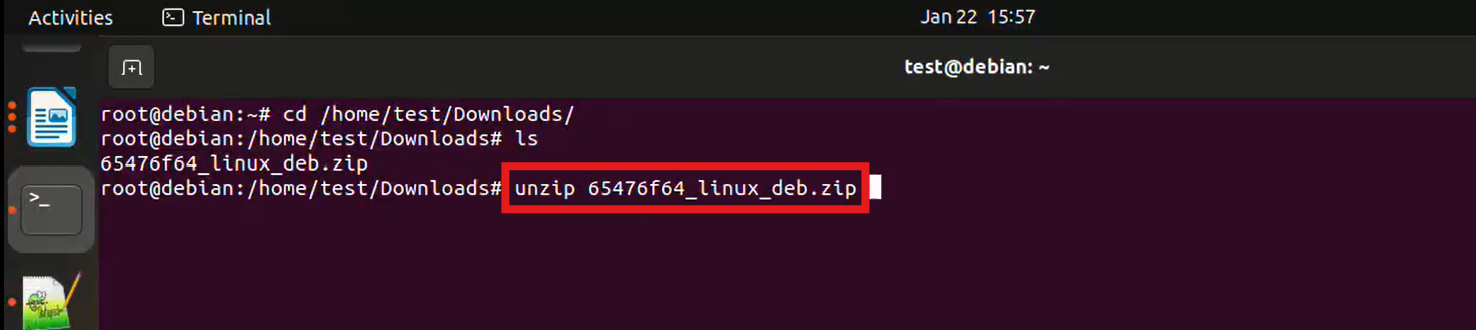
2\. **Launch a Terminal** and navigate to the directory where the package was downloaded.&#x20;

Example: &#x20;

```bash
cd /path/to/downloads
```

<figure><img src="https://2078222076-files.gitbook.io/~/files/v0/b/gitbook-x-prod.appspot.com/o/spaces%2F-MMRHZBPHlLDUc8519fX%2Fuploads%2FCT0VgBnyXYbNB4fduh69%2Fimage.png?alt=media&#x26;token=b7236cd5-aa4e-45b6-90a2-3e58c7d99ddf" alt=""><figcaption></figcaption></figure>

3. Extract the contents of the downloaded `.zip` file using the `unzip` command:

```bash
unzip *_linux_deb.zip  
```

<figure><img src="https://2078222076-files.gitbook.io/~/files/v0/b/gitbook-x-prod.appspot.com/o/spaces%2F-MMRHZBPHlLDUc8519fX%2Fuploads%2F3i2l02nfCVsydrOvC6ro%2Fimage.png?alt=media&#x26;token=7ec04b24-292d-4647-a0f6-ee510758b562" alt=""><figcaption></figcaption></figure>

If `unzip` command is not available, install using the command `sudo apt install unzip`

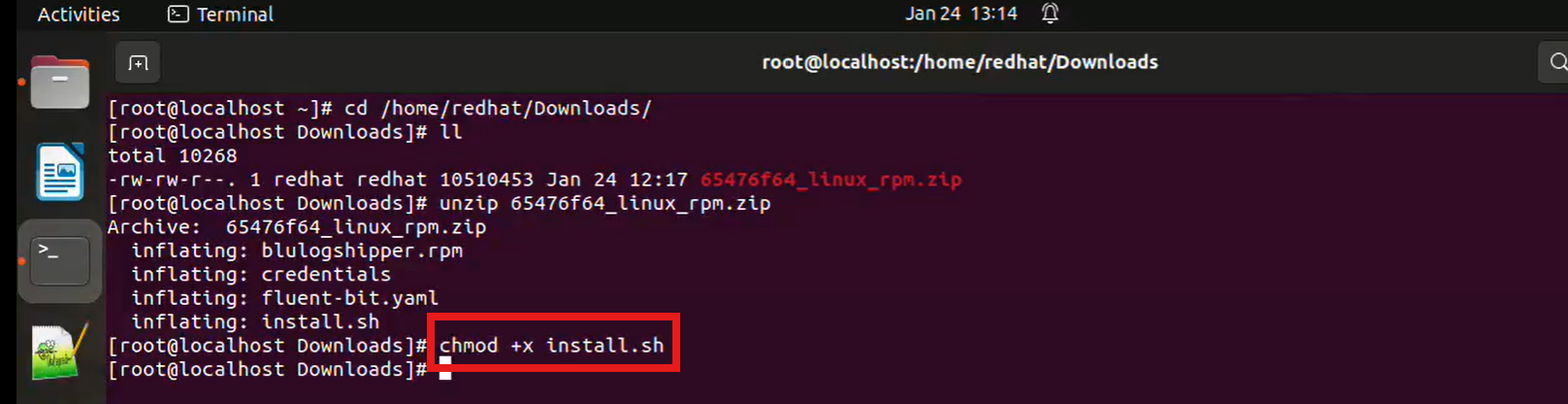
4\. Navigate to the extracted directory, use `chmod +x` command to make a file executable&#x20;

```bash
chmod +x install.sh
```

<figure><img src="https://2078222076-files.gitbook.io/~/files/v0/b/gitbook-x-prod.appspot.com/o/spaces%2F-MMRHZBPHlLDUc8519fX%2Fuploads%2FpJ5SVjODW1mkdfDunWNM%2Fimage.png?alt=media&#x26;token=172daa76-3d56-46f7-b07a-a00d281141c2" alt=""><figcaption></figcaption></figure>

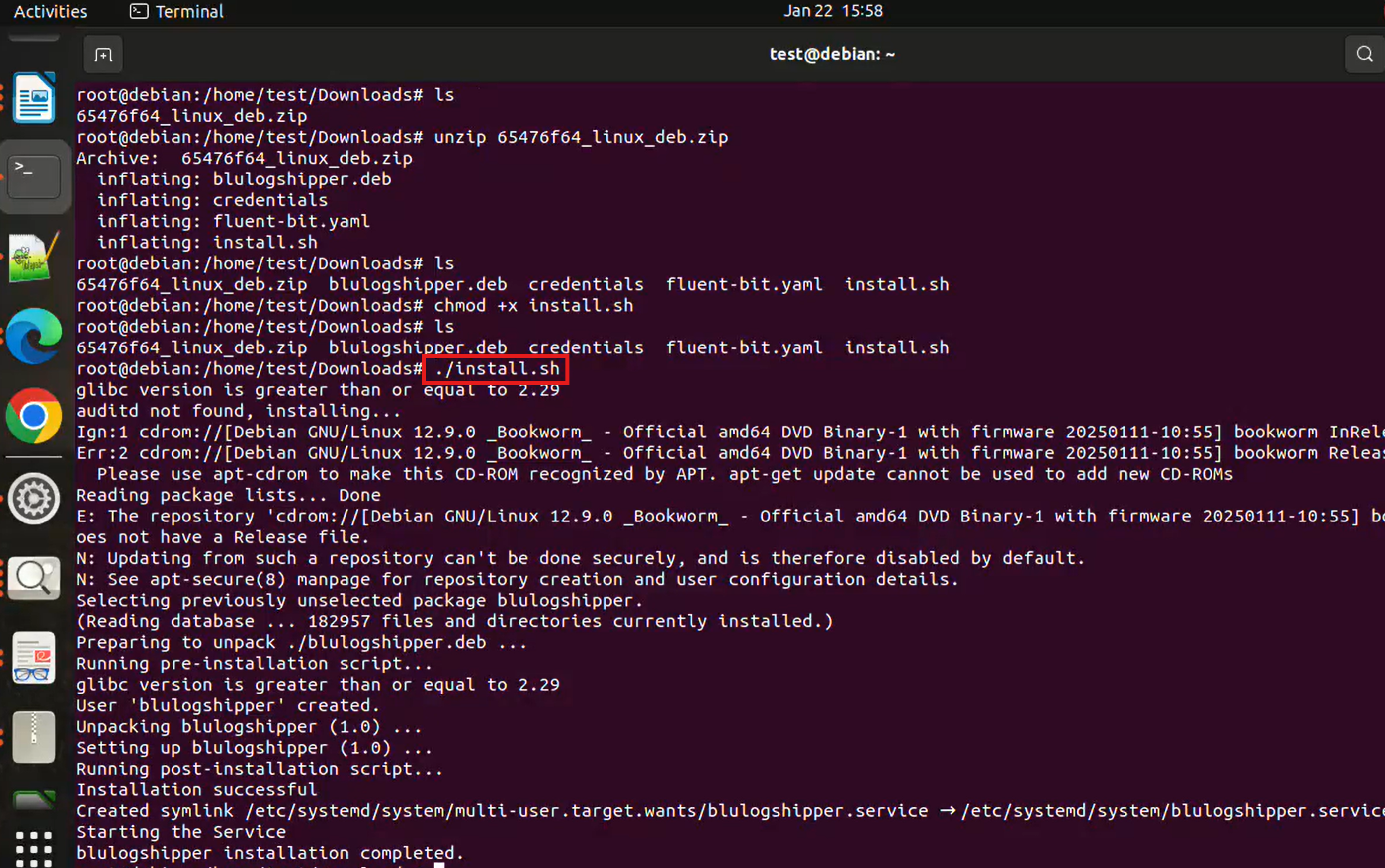
5. Execute the installation script with superuser privileges to install the package:

```bash
sudo ./install.sh    
```

<figure><img src="https://2078222076-files.gitbook.io/~/files/v0/b/gitbook-x-prod.appspot.com/o/spaces%2F-MMRHZBPHlLDUc8519fX%2Fuploads%2FL9A85ROCCMkXmgGZZTRe%2Fimage.png?alt=media&#x26;token=207c97b0-d9a7-4463-a8dc-4a3807e9411b" alt=""><figcaption></figcaption></figure>

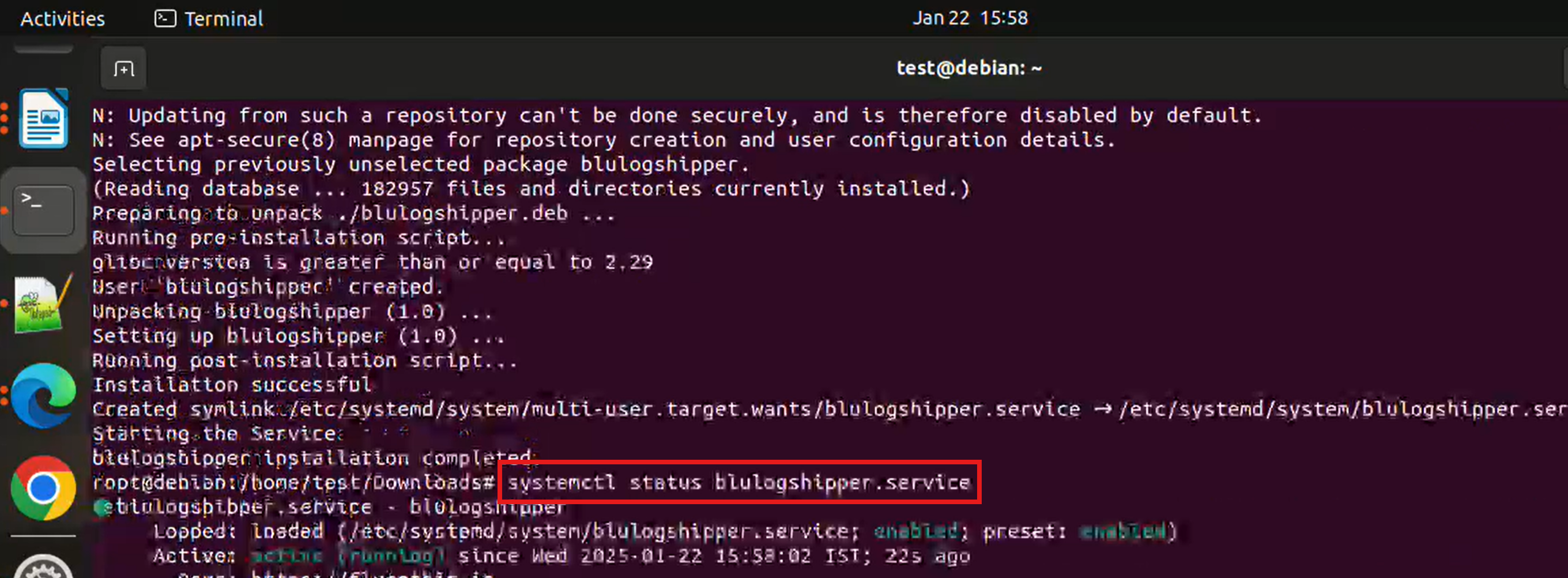
6. Verify the Installation

To ensure the package is installed correctly, verify that the service is running:

```bash
sudo systemctl status blulogshipper.service
```

<figure><img src="https://2078222076-files.gitbook.io/~/files/v0/b/gitbook-x-prod.appspot.com/o/spaces%2F-MMRHZBPHlLDUc8519fX%2Fuploads%2F17au8I619VaEqEohOC91%2Fimage.png?alt=media&#x26;token=2345737d-0209-4671-8d2a-78c059ec2a30" alt=""><figcaption></figcaption></figure>

If the service is not active, you may start it using:

```bash
sudo systemctl start blulogshipper.service
```

{% embed url="<https://youtu.be/h9qbEhrZQts>" %}